
01Live
Studio
Upload a room photo or pick a scene from the library, assign products, fabrics and paint colors to its surfaces, and render. Each product is placed on its own pass, which is what keeps scale and placement true to the catalog.




Catalog rendering for furniture, textile and interior brands. Start free — 5 renders, no card required
As seen at

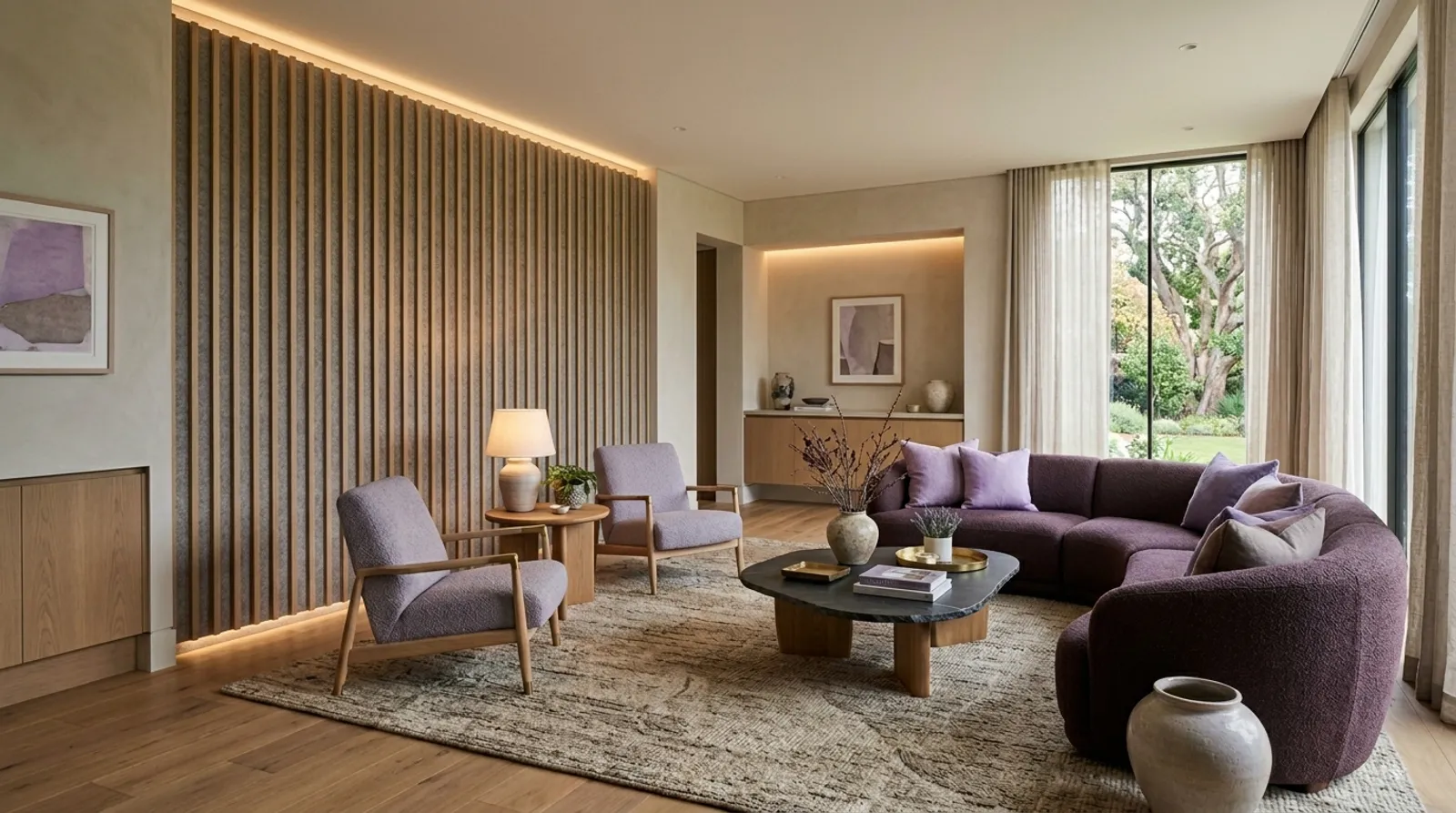
Every season is the same bet: book the shoot months early, photograph the whole line, and hope the right pieces sell. Half the images never get used, the rest go stale the moment a finish changes, and the SKUs that are actually moving have no lifestyle shot at all.
Formspace is catalog rendering: import the products you already sell, choose the room they belong in, and each SKU and finish is placed on its own pass so it stays true to the catalog — from homes and outdoor settings to hospitality and commercial spaces. Every finish, every colorway, without another shoot.

Four steps, no onboarding call. Great product imagery does more than look good: it helps buyers decide faster.
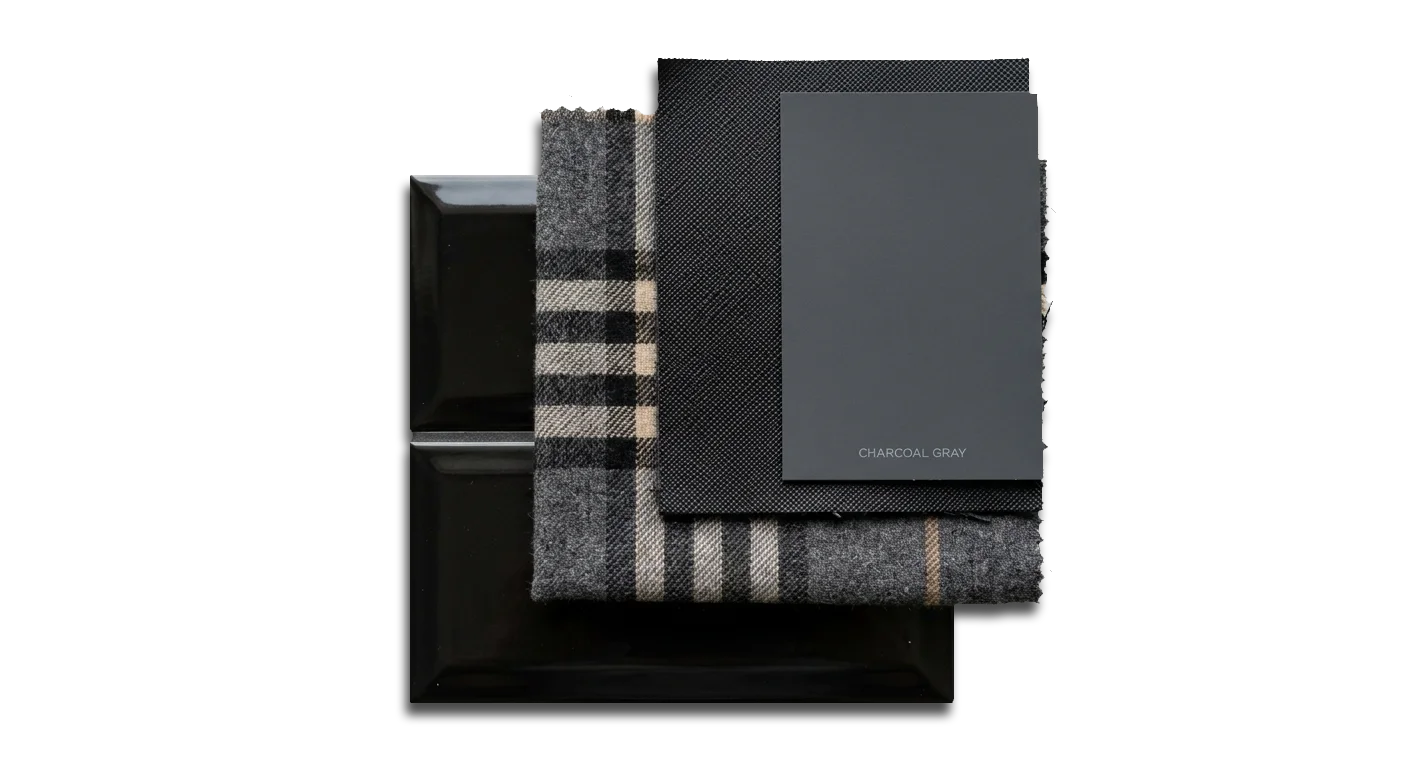
Upload a CSV or a folder of product images and map your columns once. Swatches, finishes, and SKUs land ready to use.
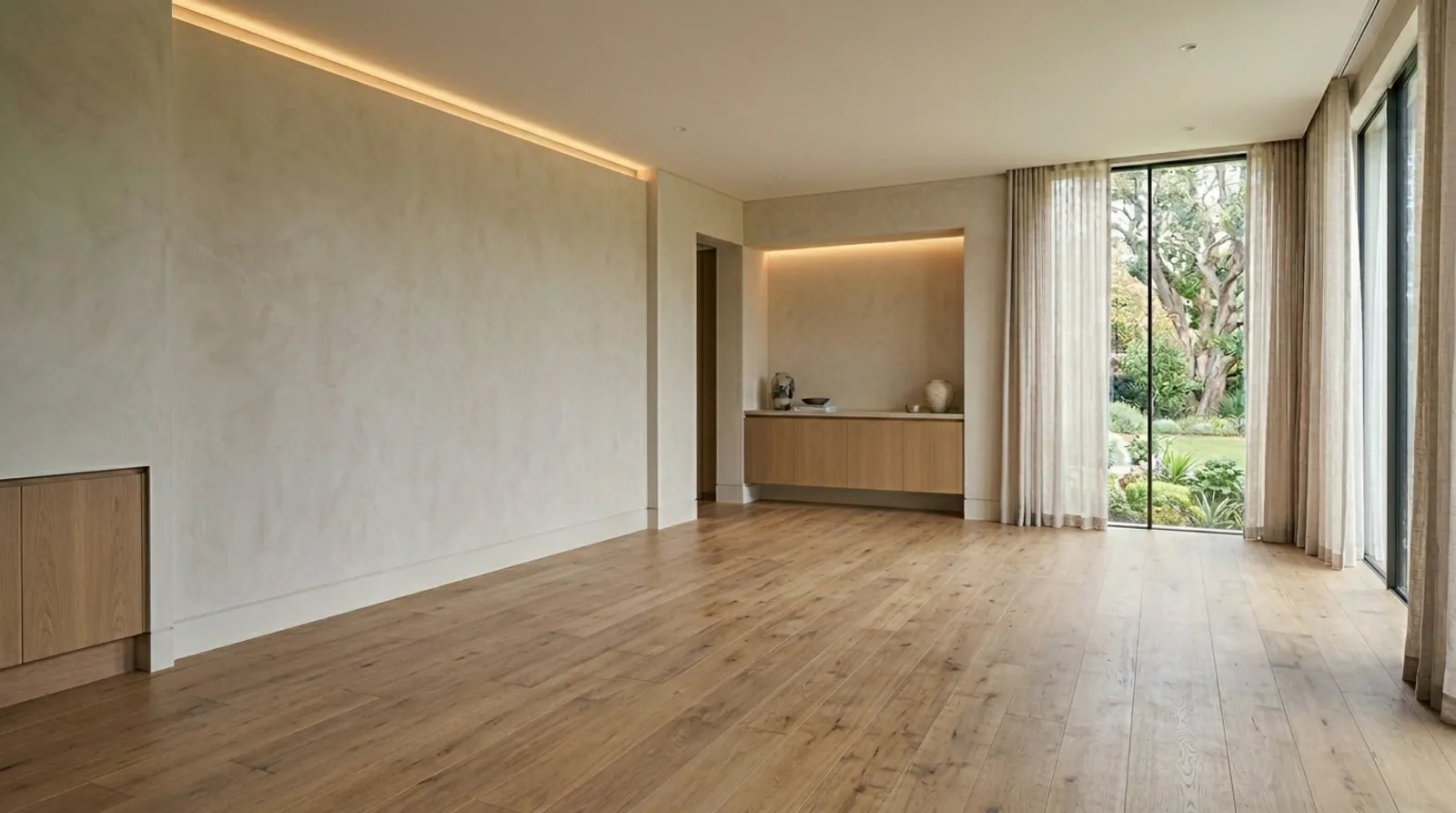
Choose the space that fits the product, from bare architectural shells to finished rooms.
Place it, style it, brand it. Watch the empty space become a room that sells.
Download full-quality PNGs, print-ready and on-brand. Every render stays in your team gallery for the next launch.
Nothing on this page is a roadmap. Everything below is in the product, on the free trial, from the first render.
Upload a room photo or pick a scene from the library, assign products, fabrics and paint colors to its surfaces, and render. Each product is placed on its own pass, which is what keeps scale and placement true to the catalog.
Campaign-ready scenes styled to a short brief, with your products placed where you choose and your brand kit — logo, fonts, colors — applied to the export.
When the library does not have the room you need, generate your own scene base from a brief and use it like any other scene.
Every render is saved automatically. Everyone in your workspace can browse, favorite, comment and download full-quality files, so the library grows with every launch instead of starting over.
Same catalog, same team. Make imagery to demand instead of to a forecast: every SKU becomes ready-to-ship imagery when it is needed, not another line item on a shoot list.
A photoshoot, per finish
Day rate, stylist, set, props, shipping, retouching — and it only covers the finishes you shot.
Put your last invoice here.
Formspace, per finished image
About $0.80
On Studio with the full allowance used. Every finish, rendered when it sells. See the honest comparison.
The old way
With Formspace
From the workflow above: one sofa across five catalog fabrics, a scene before and after, and the campaign spread it became.




Every plan is self-serve: pick it, pay by card, change or cancel from Settings. Start with the tier that fits your catalog today and move up as your SKU count, team and publishing needs grow.
Free trial
Every new workspace starts with 5 free renders. No card required.
Upload a product, pick a scene and render. Choose a plan only when you want more than 5.
A pilot one person can run: one collection, one card, cancel any month.
For brands rendering the full catalog with a team, once the pilot has paid for itself.
For high-volume brands, and agencies serving several clients from one relationship.
How credits work: 1 credit is 1 render. Every image Formspace generates costs a credit, and each product you place is rendered on its own — that separate pass gives each placement its own attention — so each product is another credit. We count in credits because one click is often several renders. In Editorial Mode, generating the scene is 1 credit. Each product you then place into it is 1 more, because each is a separate render. A render that fails never costs a credit — it is returned automatically.
Automatic renewal: Starter and Studio are monthly subscriptions. They renew automatically, and your payment method is charged the plan price plus applicable tax each month until you cancel. Cancel any time from Settings → Workspace → Manage billing; cancellation takes effect at the end of the period you have paid for. See Terms for full details.
Not sure which plan fits? Take the catalog fit quiz.
A few of the questions teams ask before their first catalog import. Weighing this against a photoshoot or a studio? See the comparison.
Catalog rendering for furniture, textile and interior brands. You import the products you already sell, pick the room each belongs in, and Formspace places every SKU and finish into the scene on its own pass, so what comes out matches the catalog. It replaces the shoot for the finishes a shoot never gets to.
Yes. Every new workspace starts with 5 free renders and no card on file. Create an account, upload a product, pick a scene and render. When you want more, choose Starter or Studio from Settings — nothing is charged until you do.
1 credit is 1 render. Every image Formspace generates costs a credit, and each product you place is rendered on its own — that separate pass is what keeps its placement accurate — so each product is another credit. Generating the scene is 1 credit. Each product you then place into it is 1 more, because each is a separate render.
No. A render that fails never costs a credit — it is returned automatically. A render that needs several credits is also taken all at once or not at all, so you are never part-charged for work you did not receive.
Starter and Studio include a monthly allowance that resets at the start of each billing period, and you can move between plans any time from Settings, Workspace. On the free trial, choosing a plan is how you keep rendering. If you need more than Studio's allowance in a month, talk to us about volume pricing.
Formspace is built for products sold in finishes, fabrics and colorways: furniture and seating, textiles and rugs, lighting, and surfaces such as tile, flooring, laminate and wallcovering. Most other products made for interiors work too. The quickest way to find out is to render one of yours on the free trial.
No. A clear product photo or a finish swatch is enough. Each product is placed in its own render pass, which keeps its scale and placement as close to the real thing as the AI can. Renders are still approximations, so check them against the product.
By CSV or a bulk image upload. Export a product CSV from your commerce platform, map your columns once and the whole catalog comes across, images included. Direct connectors to commerce, CMS and DAM platforms are on the roadmap rather than shipping today.
Minutes. Create a workspace, upload a product image or CSV, pick a scene and render. There is no onboarding call, no setup fee and nothing to install.
A prompt box gives you a picture. Formspace works from your catalog: every SKU and finish is placed on its own pass so it stays true to the product, scenes are organised by the surface they apply to, your brand kit is applied to editorial exports, and every render lands in a gallery your whole team can browse, favorite and comment on. The comparison page at formspace.us/compare sets it next to a photoshoot, a CGI studio and a general image tool, including what each of those does better.
Yes. Owners and admins invite teammates from Settings, Workspace, and everyone in the workspace shares the catalog, scenes and gallery. Agencies run client work the same way today; if you need separate workspaces per client, that is part of our Enterprise conversation.
Renders are AI-generated, not photographs, so check color, scale and finish against the real product before you publish. You own the imagery generated in your workspace under our Terms, and we do not use your uploads or renders to train our models.
Renders download as full-quality PNG files, so they go wherever you publish today: your own site, marketplaces, dealer portals, print and social. Nothing needs to be installed on your site.
Yes. Starter and Studio are monthly subscriptions with no minimum term. Cancel from Settings, Workspace, Manage billing; you keep access until the end of the period you have paid for, and your catalog, scenes and renders stay in your workspace.
Enterprise, agencies and walkthroughs
Volume pricing for a large catalog, custom scenes built around your brand, an agency running several client catalogs, or a walkthrough before you commit. Tell us what you're working on and someone will come back to you within two working days.
Not sure you need a conversation? You don't have to wait for one. Every new workspace starts with 5 free renders. No card required.
Start free insteadStart today
Create a workspace, upload one product and see it in a room in minutes. Upgrade when you're ready, and cancel any month.
Starter from $97/mo · Studio $399/mo · Enterprise by conversation.